Found
From information to insight.
An AI thinking partner that helps people capture fragmented information, discover meaningful connections, and turn what they already know into new ideas.
- STATUS
- Concept / experience prototype ● To verify
- CONTEXT
- Cornell Design Technology, specialization project
- ROLE
- Product strategy, UX research, interaction design, AI experience design
- TEAM
- Individual, with faculty feedback
SUBJECTSPersonal knowledge management · Human–AI interaction · Semantic retrieval
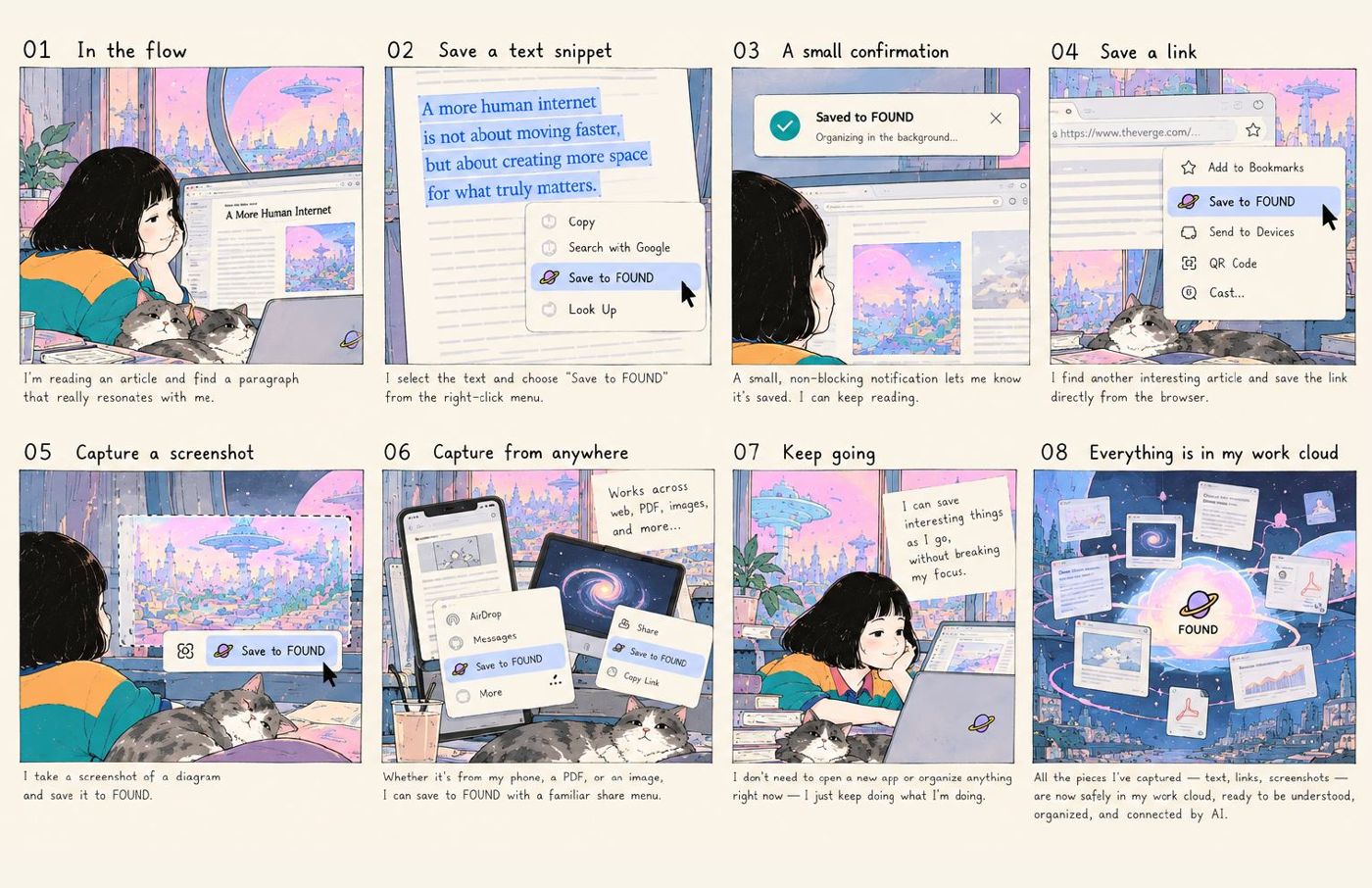
The question
What if AI helped us think more deeply with what we already know, instead of simply giving us more answers?
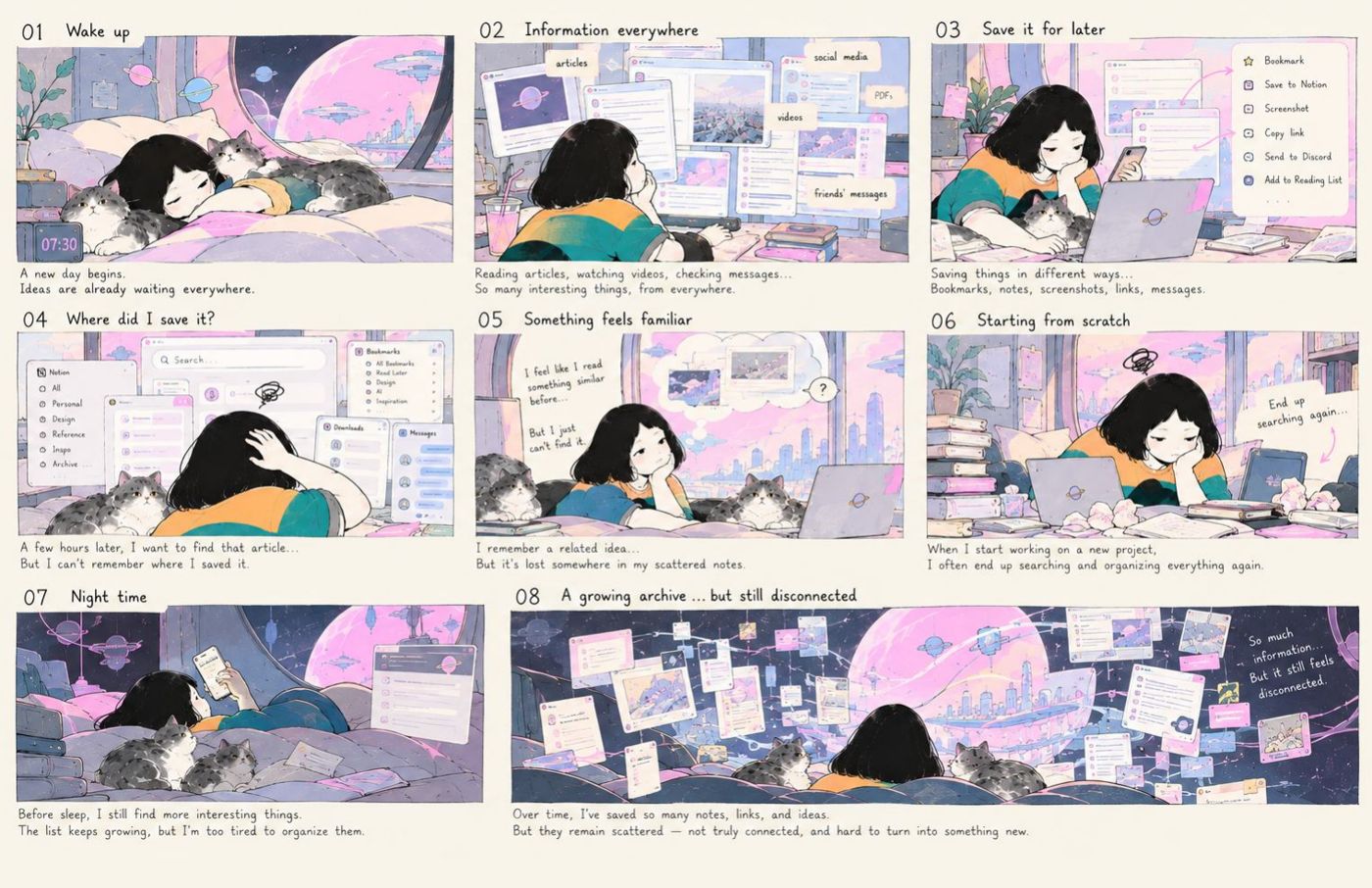
Saving is not knowing
Screenshots, articles, links, chats and passing thoughts are scattered across different tools. Saving them often requires tags, folders and ongoing maintenance. Even after saving, we still have to remember what exists, search for it and make the connections ourselves.
- 01CollectAcademic papers, existing products and related resources, filtered for relevance.
- 02Analyse and compareFive lenses: knowledge and evidence, user intent, system intelligence, interaction, edge cases.
- 03Build the design spaceSynthesise the coding into structured, high-level dimensions.
- 04Use itMap existing tools, identify gaps, and inform directions for new PKM experiences.
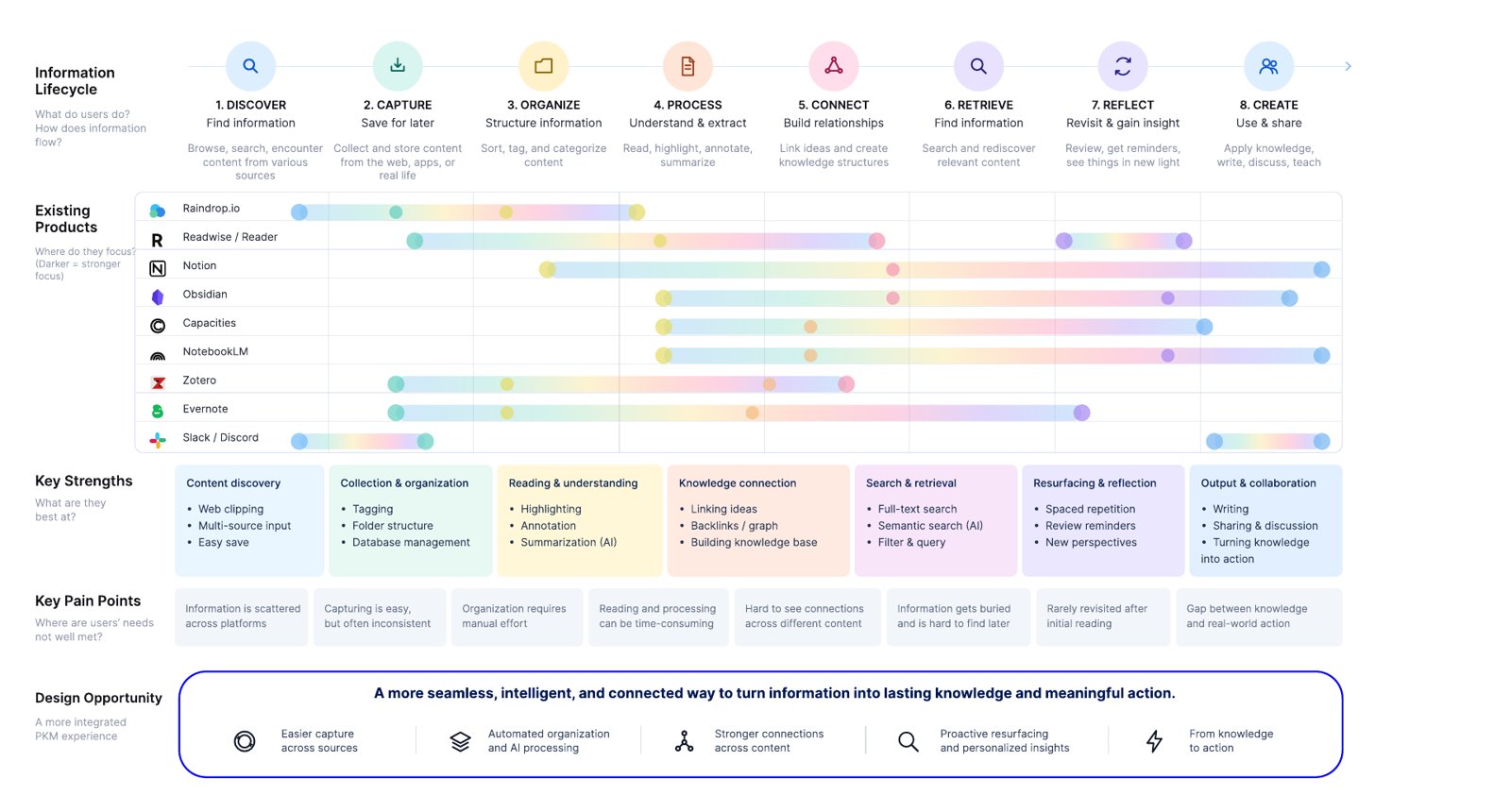
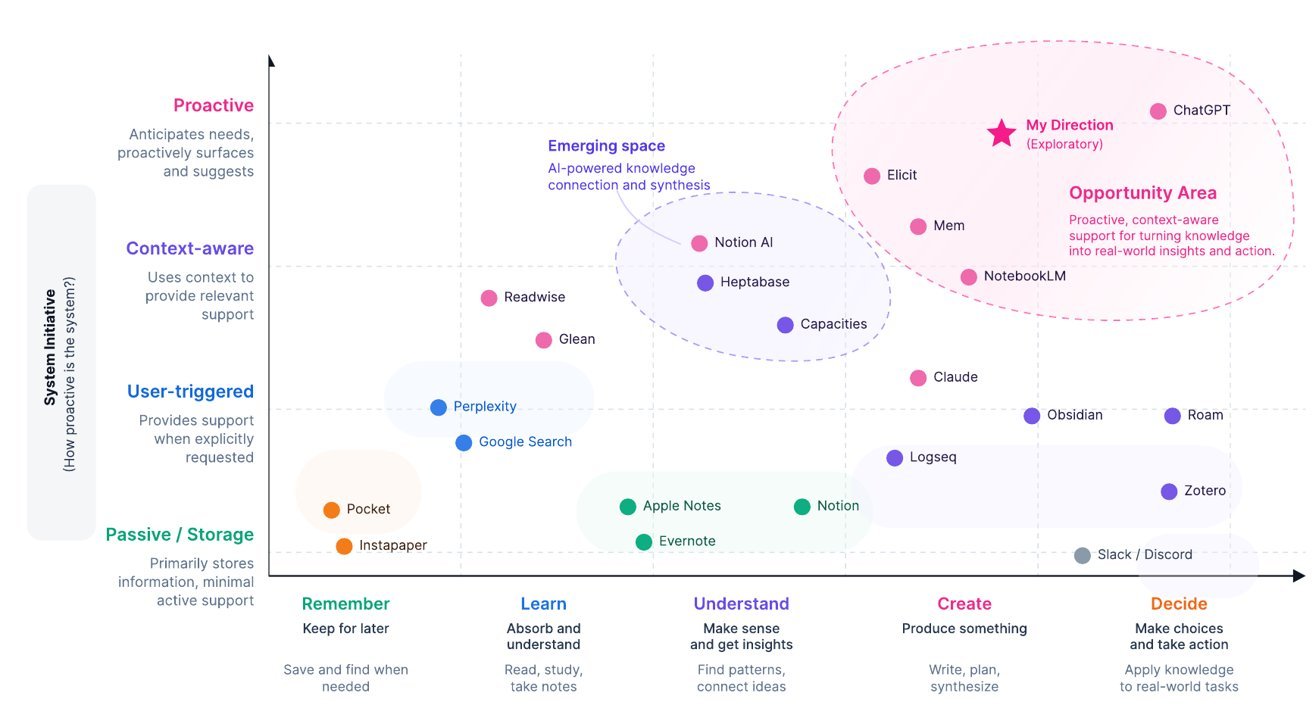
- 01Most tools stop at storing, organising or retrieving.The space is crowded with tools that help people save, search and manage content.
- 02AI tools are emerging, but mostly user-triggered.Current AI features usually need explicit input and are rarely integrated with personal context across sources.
- 03Few support the journey from understanding to action.Few solutions proactively connect past knowledge with current goals and real-world decisions.
The opportunity: a more seamless, intelligent and connected way to turn information into lasting knowledge and meaningful action.
- 01Easier capture across sources
- 02Automated organisation and AI processing
- 03Stronger connections across content
- 04Proactive resurfacing and personalised insights
- 05From knowledge to action
Where Found sits
Fifteen dimensions of personal knowledge tools. The grey line is the full range of options; the black bar is the area Found sets out to explore.
How it works
Two loops feed one living knowledge system. People decide what to save and what to ask; AI is planned to organise in the background — and every suggestion can be accepted, refined or rejected.
- Encounter useful information
- Save to Found, instantly
- Original is always kept
- Organised knowledge enters the system
Optional: review AI suggestions — accept, refine or reject. Never required for content to be saved.
- Have a question or topic
- Ask Found in natural language
- Explore, compare, develop
- Save the new insight
New insights become part of the person's knowledge — and fuel the next question.
● Target experience — implementation status and formal user testing remain to be confirmed.
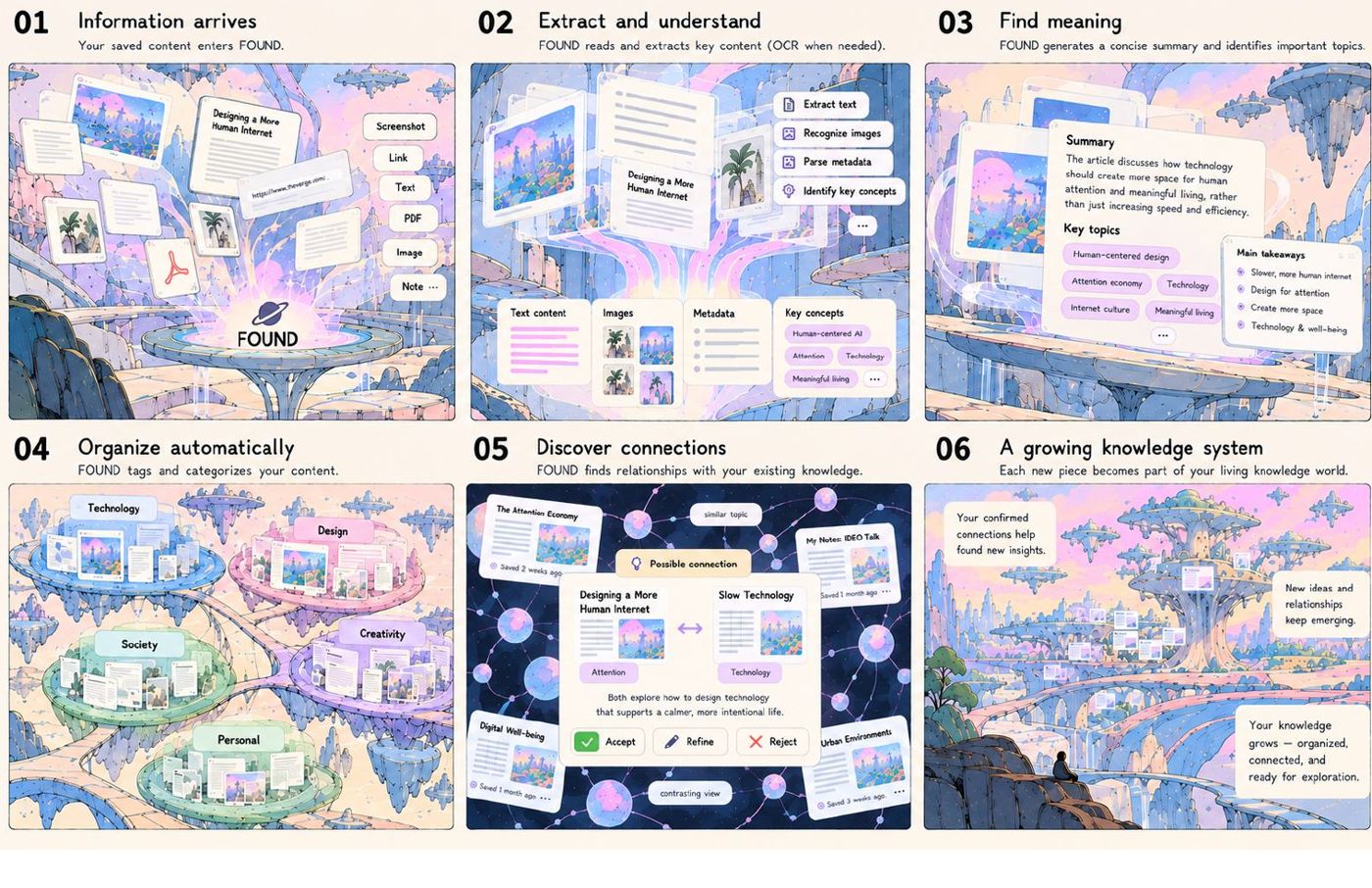
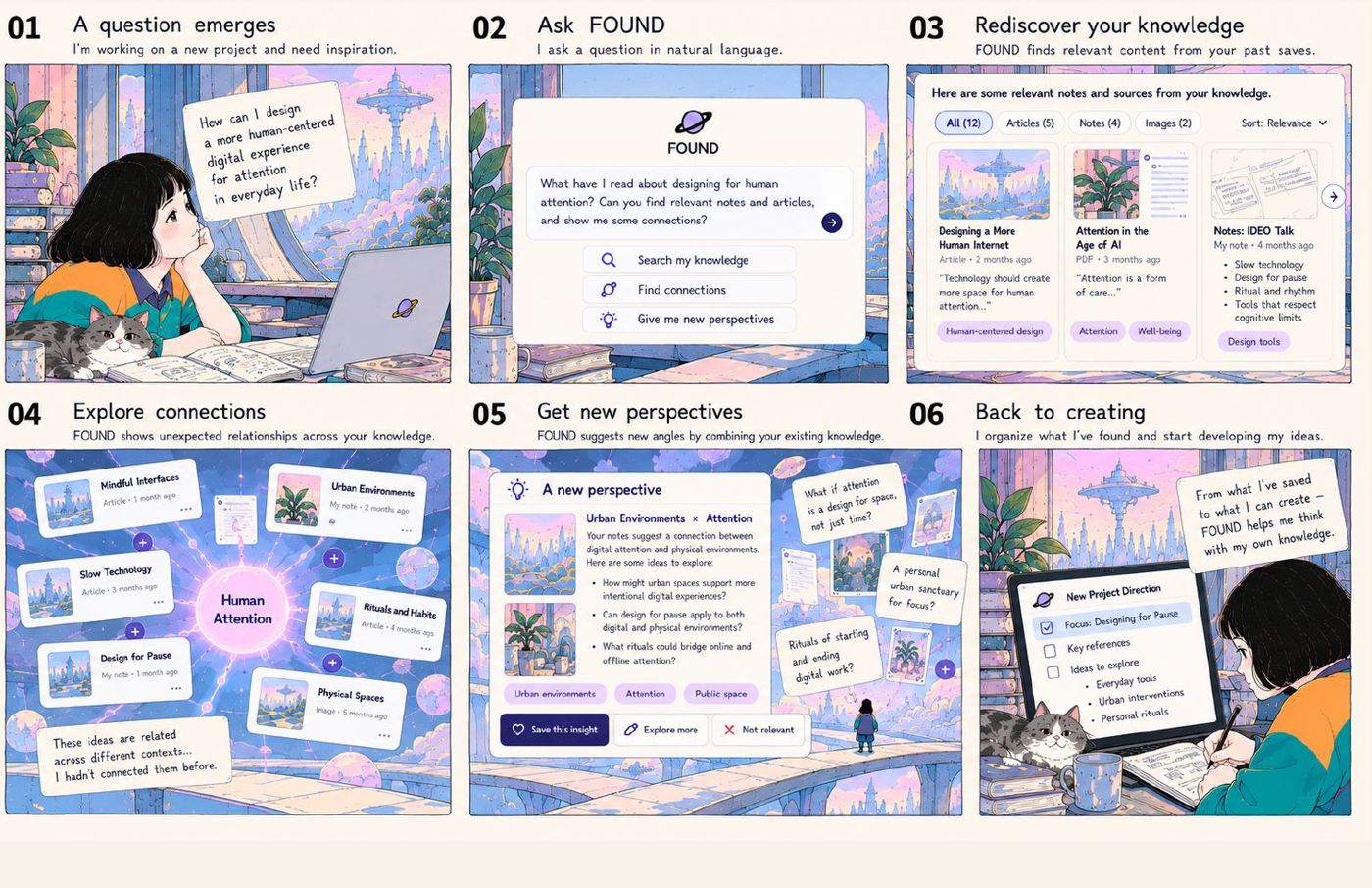
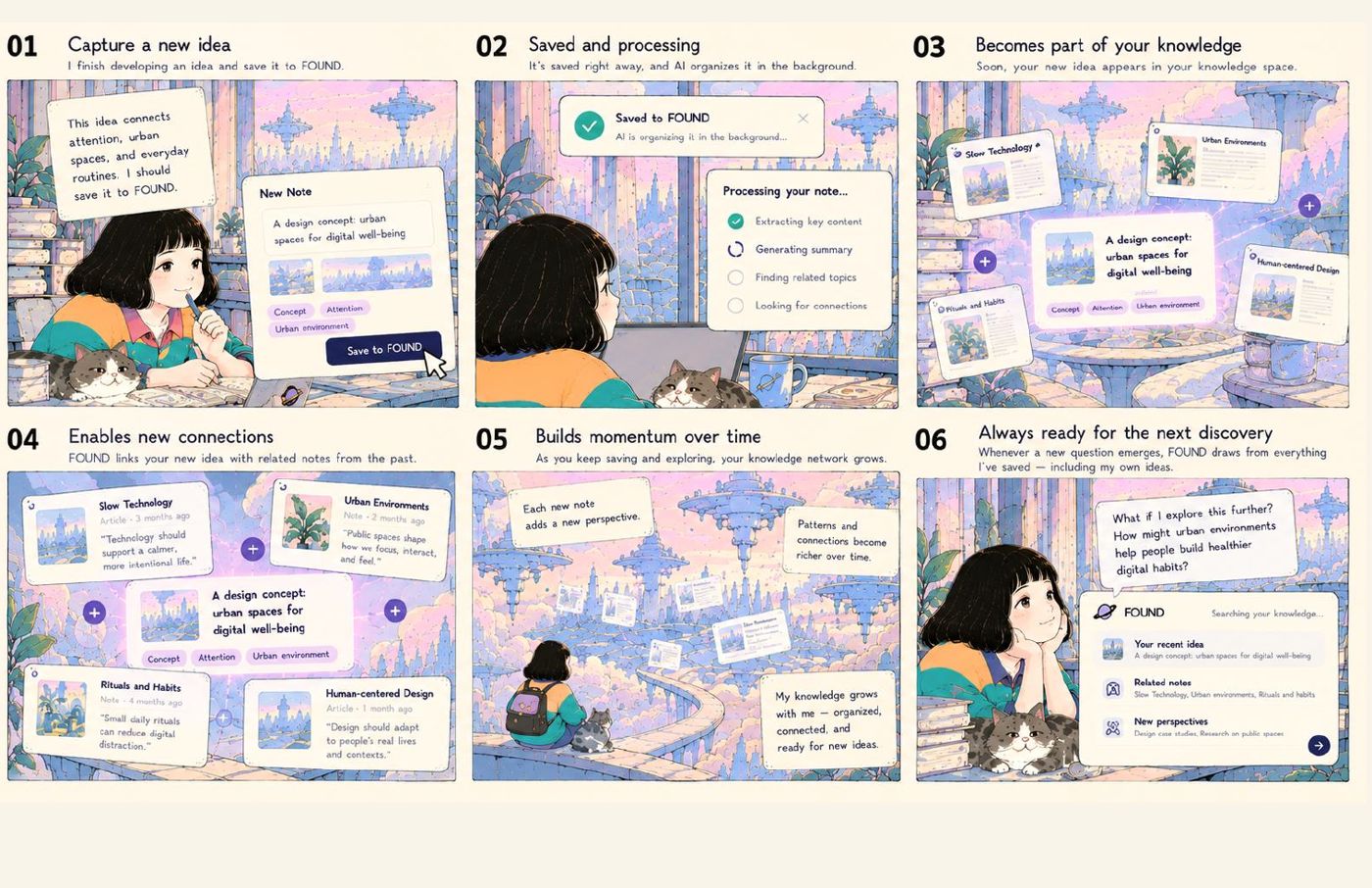
● Storyboard of the proposed experience — not screenshots of a working product.
07Design principles
(06)- 01
Capture without interruption
Keep saving lightweight; avoid requiring tags or immediate confirmation.
- 02
Preserve the original source
Keep source material separate from AI interpretation, so it remains accessible when an interpretation is wrong.
- 03
AI organizes in the background
Plan extraction, summaries and indexing as asynchronous work.
- 04
Connections are offered, not imposed
Show the basis for suggested links and let people accept, correct or ignore them.
- 05
Retrieval should lead to thinking
Use traceable sources to support comparison, reflection and further questions.
- 06
Knowledge should stay alive
Allow insights from a conversation to return to the personal knowledge system.
What I chose not to build
| No. | Direction | Why / why not | Decision |
|---|---|---|---|
| 01 | Manual-first organization | Tags and folders at capture time add cognitive burden. | Rejected |
| 02 | Confirm every AI result immediately | Immediate confirmation after each save could interrupt the original task. | Rejected |
| 03 | Storage-only knowledge base | Archiving and search alone do not express the intended value of rediscovery. | Rejected |
| 04 | AI connections without user control | Connections need explanations and a way to correct them. | Rejected |
| 05 | Feature-heavy first version | Complex editing, tasks, collaboration, graph views and daily pushes are deferred while the core experience is explored. | Rejected |
- RESEARCHLiterature and product review; nine tools compared across the information lifecycleDone
- DEFINEPKM design space — fifteen dimensions, with Found's directionDone
- SYSTEMInteraction ecosystem: two loops and a living knowledge systemDone
- STORYStoryboard in five chapters, from scattered to growing knowledgeDone
- PROTOTYPE[Working prototype — scope and status]To verify
- TEST[User testing — status and method]To verify
Still unproven
Found is a concept in progress. These assumptions still need to be tested.
- Open 01 Will people keep saving fragments into Found over the long term?
- Open 02 Does low-friction capture increase how often saved material is reused?
- Open 03 Are AI-suggested connections useful beyond surface-level similarity?
- Open 04 Can people understand, question and trust the suggested connections?
- Open 05 Does rediscovery help people develop more useful ideas or creative work?
What I’m learning
Lowering the friction of capture is only the first step. The harder question is how AI and people can understand, correct and develop knowledge together while people retain control of their thinking.